
A website redesign in 2026 costs between $2,000 and $100,000+ and typically takes 4 to 12 weeks, depending on the scope, complexity, and technology stack involved. Whether you're running a small business site that hasn't been touched in five years or managing an enterprise platform that's bleeding conversions, a redesign is one of the highest-ROI investments you can make in your digital presence, as detailed in the Web.dev performance benchmarks.
I'm Mohamed Sahbi, and I've led website redesigns for businesses across Europe and North America over the past several years. Some were straightforward visual refreshes. Others were full-scale platform migrations involving hundreds of pages, complex integrations, and meticulous SEO preservation. Through all of it, one thing is consistent: the companies that approach a redesign strategically see measurable improvements in traffic, conversions, and revenue within the first 90 days, as detailed in the HTTP Archive web statistics.
This guide covers everything you need to know: the warning signs that it's time, what it actually costs, how to protect your search rankings, and the step-by-step process from audit to launch. No fluff, just practical advice based on real project experience, as detailed in the Google Search Console. Our Core Web Vitals and performance audit explores this topic further.
5 Clear Signs Your Website Needs a Redesign
A website redesign becomes necessary when your current site actively harms your business goals. Not every site needs a full overhaul every year, but when multiple warning signs appear together, delaying the investment costs more than the redesign itself. Here are the five most reliable indicators. Explore our book a consultation.
1. Your Conversion Rate Is Dropping
If your traffic remains stable but conversions are declining, your website's design and user experience are likely the problem. The average website conversion rate sits between 2% and 5% across industries. If you're consistently below 1%, or you've seen a steady 20%+ drop over the past 6 to 12 months, visitors are telling you something. Common culprits include confusing navigation, unclear calls to action, and forms that feel like they were designed in 2015. I've seen businesses double their conversion rate simply by redesigning their landing pages with clearer value propositions and streamlined user flows. Explore our project success stories.
2. Your Design Looks Dated Compared to Competitors
Web design trends evolve rapidly. What looked modern in 2021 often feels stale by 2026. Visual credibility matters more than most businesses realize: 75% of users judge a company's credibility based on its website design, according to Stanford research. If your competitors have moved to clean layouts, modern typography, and polished micro-interactions while your site still features stock photo sliders and boxy layouts, you're losing trust before visitors even read your content. Compare your homepage side-by-side with your top three competitors. If the gap is obvious, it's time. Our website cost analysis explores this topic further.
3. Your Site Isn't Mobile-Friendly
Mobile traffic accounts for over 60% of all web traffic in 2026, and Google has been using mobile-first indexing for years. If your site doesn't provide an excellent experience on phones and tablets, you're invisible to both users and search engines. This goes beyond basic responsiveness. True mobile optimization means touch-friendly navigation, appropriately sized tap targets, fast loading on cellular networks, and content that reads well on smaller screens without excessive pinching and zooming. If you built your current site as a desktop-first design with a responsive layer added afterward, a redesign with a mobile-first approach will fundamentally improve performance. Our responsive website design guide explores this topic further.
4. Your Core Web Vitals Are Failing
Core Web Vitals are Google's performance metrics that directly impact your search rankings. The three key metrics are Largest Contentful Paint (LCP) which should be under 2.5 seconds, Interaction to Next Paint (INP) which should be under 200 milliseconds, and Cumulative Layout Shift (CLS) which should be under 0.1. Check your scores in Google Search Console or PageSpeed Insights. If your pages consistently fail these thresholds, patches and optimizations may not be enough. Sites built on older frameworks or bloated page builders often carry so much technical debt that a clean rebuild on a modern stack is the most cost-effective path to passing Core Web Vitals. I've worked on projects where a full rebuild reduced LCP from 6+ seconds to under 1.5 seconds.
5. Your Team Can't Easily Update Content
If updating a blog post, changing a banner image, or adding a new service page requires a developer, your CMS setup is holding your business back. Content agility is critical in 2026. Your marketing team should be able to publish and update content without waiting days for a developer to push changes. Modern headless CMS platforms like Sanity, Strapi, or Contentful give non-technical users full control over content while keeping the frontend clean and performant. A redesign is the perfect opportunity to solve this operational bottleneck.
Website Redesign vs. Website Refresh: What's the Difference?
A website redesign is a comprehensive overhaul that changes the site's structure, technology, visual design, and often its content strategy. A website refresh, by contrast, updates the visual layer - colors, typography, imagery, and component styling - while keeping the existing architecture and technology intact. Understanding the difference helps you choose the right investment.
Choose a redesign when:
- Your technology stack is outdated and limits performance
- Site navigation and information architecture need restructuring
- Core Web Vitals consistently fail despite optimization attempts
- Your CMS no longer meets content management needs
- Business goals have fundamentally changed since the last build
Choose a refresh when:
- The underlying technology and performance are solid
- Site structure and navigation work well for users
- Only the visual design feels outdated
- Budget is limited and a full overhaul isn't feasible right now
A refresh typically costs 30% to 50% less than a full redesign and can be completed in 2 to 4 weeks. However, if your site has deep structural or performance issues, a refresh is a band-aid that delays the inevitable.
The Real Cost of a Website Redesign in 2026
Website redesign costs in 2026 range from $2,000 for a simple small business site to over $100,000 for complex enterprise applications. The wide range reflects differences in project scope, technology choices, content volume, and the level of custom functionality required. Here's a realistic breakdown based on project type.

Small Business / Brochure Site (5-15 pages)
Cost: $2,000 to $8,000. Timeline: 4 to 6 weeks. This covers a clean, modern design, mobile responsiveness, basic SEO setup, a contact form, and a simple CMS for content updates. If you're a local business or solo professional, this tier delivers excellent value. Most projects in this range use established frameworks like Next.js with a headless CMS, giving you a site that loads fast and looks polished without enterprise-level complexity.
Mid-Size Corporate Site (15-50 pages)
Cost: $8,000 to $30,000. Timeline: 6 to 10 weeks. This includes custom design across multiple page templates, advanced SEO with structured data, blog or resource center functionality, CRM integration, analytics setup, and multi-language support if needed. The higher end of this range applies when you need custom interactive elements, advanced forms, or third-party integrations like HubSpot or Salesforce.
E-Commerce Platform
Cost: $15,000 to $60,000. Timeline: 8 to 14 weeks. E-commerce redesigns involve product catalog migration, payment gateway integration, inventory management connections, customer account systems, and conversion-optimized checkout flows. The complexity of your product catalog and the number of integrations are the biggest cost drivers. A store with 50 products and Stripe integration is a different project than one with 5,000 SKUs, multiple payment providers, and ERP connections.
Custom Web Application
Cost: $30,000 to $100,000+. Timeline: 10 to 16+ weeks. Custom applications with user dashboards, complex data visualizations, API-heavy architectures, or SaaS platforms require significant engineering investment beyond standard web design. If your site is more application than website - think customer portals, booking systems, or multi-tenant platforms - budget accordingly.
These ranges assume working with experienced professionals. You can find cheaper options, but in my experience, the cost of fixing a poorly executed redesign often exceeds the savings. Factor in ongoing costs too: hosting ($20-$200/month), maintenance ($100-$500/month), and potential content updates.
The Step-by-Step Website Redesign Process
A successful website redesign follows a structured process with five distinct phases. Skipping phases or rushing through them is the most common reason redesigns fail to deliver results. Here's the process I follow on every project.
Phase 1: Discovery and Audit (1-2 Weeks)
Before designing anything, you need to understand what's working and what isn't. The audit phase involves analyzing your current site's analytics to identify top-performing pages and conversion paths, running a technical SEO audit to catalog all existing URLs, meta data, and backlink profiles, reviewing Core Web Vitals and performance bottlenecks, documenting all third-party integrations and dependencies, interviewing stakeholders about business goals and pain points, and analyzing competitor websites for design and UX benchmarks. This phase produces a clear project brief, a complete URL inventory for SEO migration, and measurable goals for the redesign.
Phase 2: Design and Prototyping (2-3 Weeks)
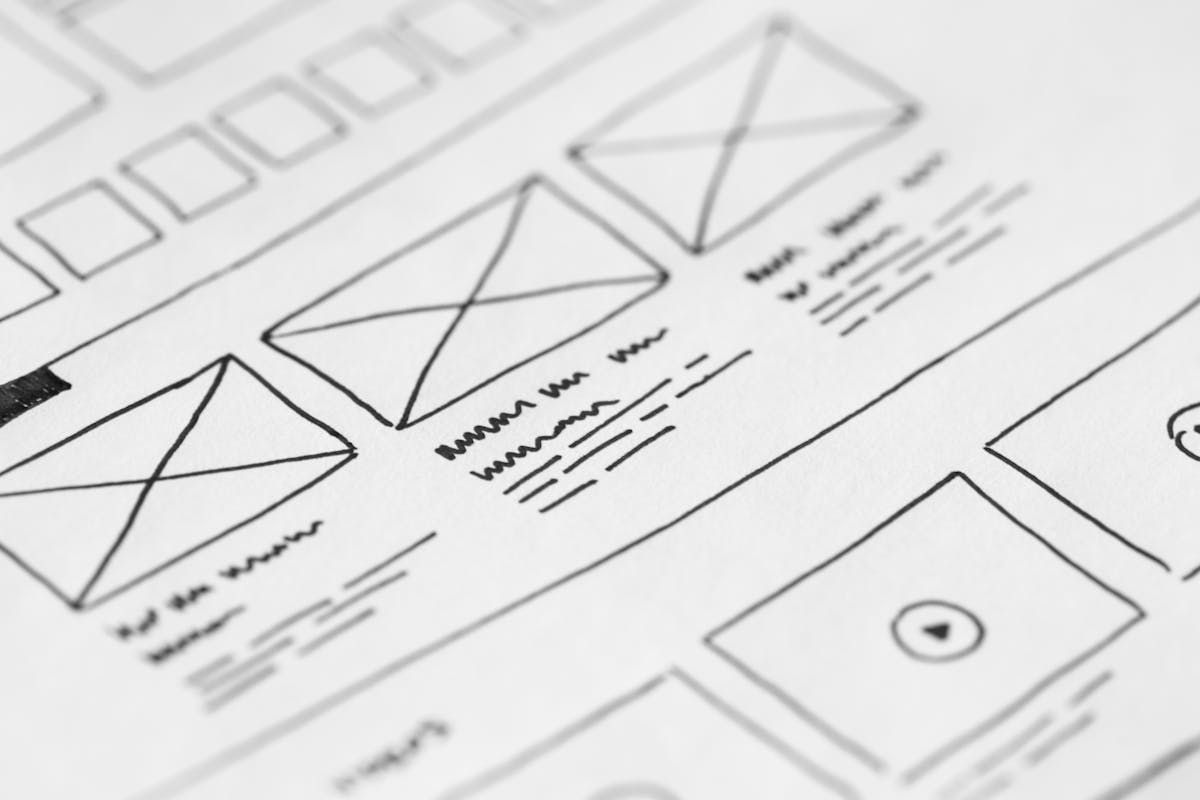
Design starts with wireframes that define the layout, navigation, and content hierarchy for each page template. Once the structure is approved, visual design begins with high-fidelity mockups in tools like Figma. I always design mobile first, then scale up to tablet and desktop. This forces hard decisions about content priority early and ensures the mobile experience isn't an afterthought. For larger projects, interactive prototypes let stakeholders click through the site and test user flows before any code is written. This phase typically includes 2 to 3 rounds of revisions. More than that usually signals unclear requirements from the audit phase.
Phase 3: Development and Build (3-6 Weeks)
Development translates approved designs into a functional website. In 2026, this typically means building with a modern JavaScript framework like Next.js or Astro, setting up a headless CMS for content management, implementing responsive layouts using CSS frameworks like Tailwind CSS, integrating third-party services such as analytics, CRM, and email marketing tools, and building out SEO infrastructure including structured data, sitemaps, and meta tag management. Development should happen on a staging environment that the client can review throughout the process. Weekly or biweekly demos keep everyone aligned and catch issues early.
Phase 4: Content Migration (1-2 Weeks)
Content migration is often underestimated and under-budgeted. Moving content isn't just copying and pasting text. It involves reviewing and updating outdated content, reformatting text for new design components, optimizing images for modern formats like WebP and AVIF, setting up 301 redirects for any URL changes, and validating that all internal links point to correct destinations. For sites with hundreds of pages, automated migration scripts can save significant time, but every page still needs a human review to ensure content displays correctly in the new design. Budget adequate time here because sloppy content migration undermines even the best redesign.
Phase 5: Testing and Launch (1 Week)
The final phase covers quality assurance, performance testing, and the launch itself. A thorough testing checklist includes cross-browser testing on Chrome, Firefox, Safari, and Edge, device testing across phones, tablets, and desktops, form submission testing with real data, load testing to verify performance under traffic, accessibility testing against WCAG 2.1 guidelines, 301 redirect verification for every old URL, and analytics and tracking code validation. Launch day should be planned for a low-traffic period, typically Tuesday or Wednesday morning. Monitor closely for the first 48 hours and have a rollback plan ready in case critical issues emerge.
Common Website Redesign Mistakes (and How to Avoid Them)
The most damaging website redesign mistakes are preventable if you know what to watch for. After working on dozens of redesign projects, these are the four mistakes I see most frequently - and each one can derail an otherwise solid project.
Ignoring SEO Migration
This is the number one mistake. Businesses invest thousands in a beautiful new site, launch without proper redirects, and watch their organic traffic drop 40% to 60% overnight. Every single URL change needs a corresponding 301 redirect. Every meta title and description needs to be preserved or improved, never deleted. Your SEO audit from Phase 1 should produce a complete redirect map before development even begins.
Starting Without Clear Goals
"We want a modern website" is not a goal. Goals need to be specific and measurable: increase contact form submissions by 30%, reduce bounce rate from 65% to 45%, improve average page load time to under 2 seconds. Without clear metrics, you can't evaluate whether the redesign was successful, and design decisions become subjective debates rather than data-driven choices.
Scope Creep
Scope creep is the silent budget killer of web redesigns. It starts innocently: "Can we also add a client portal?" or "What about adding a booking system?" Each addition seems small, but together they can double the timeline and budget. The solution is a clearly defined scope document signed off before development begins. New feature requests go into a "Phase 2" list. This isn't about being inflexible, it's about launching a solid site on time and iterating afterward rather than chasing a moving target.
Launching Without Proper Testing
Pressure to launch on time leads to cut corners in QA. I've inherited projects where the new site went live with broken forms, missing images on mobile, and 404 errors on half the old URLs. Dedicate at least one full week to testing. Use real devices, not just browser simulators. Submit real form entries. Click every link. Check every page on a phone. The cost of a one-week delay is nothing compared to the damage of launching a broken site to your customers.
How to Preserve SEO Rankings During a Website Redesign
SEO preservation during a website redesign requires proactive planning, not reactive fixes after launch. A well-executed SEO migration protects your existing organic traffic while positioning the new site for growth. Here's the checklist I follow on every redesign project.
301 Redirect Mapping
Before the redesign begins, crawl your entire existing site using tools like Screaming Frog or Ahrefs to build a complete URL inventory. Map every old URL to its new equivalent. If a page is being removed, redirect it to the most relevant remaining page, never to the homepage unless there truly is no better match. Implement these redirects at the server level, not with JavaScript, and test every single one before launch.
Meta Data Preservation
Export all existing meta titles, meta descriptions, header tags, and image alt text before the redesign. This data took time to optimize and carries SEO value. During migration, either preserve these exactly or improve them, but never leave them blank or replace them with generic defaults. Your CMS should make it easy for each page to have unique, customized meta data.
Internal Link Structure
Internal links distribute ranking power throughout your site. During a redesign, it's common for internal links to break or for the linking structure to change unintentionally. Audit your internal links before and after the redesign. Ensure that high-value pages still receive strong internal linking, and that your new navigation doesn't bury pages that were previously prominent.
Google Search Console Monitoring
After launch, submit your updated sitemap to Google Search Console immediately. Use the URL Inspection tool to request indexing for your most important pages. Monitor the Coverage report daily for the first two weeks to catch crawl errors early. Watch the Performance report for any significant drops in impressions or clicks. Some fluctuation is normal during the first 4 to 8 weeks, but a drop exceeding 20% that doesn't recover within two weeks signals a migration issue that needs investigation.
Best Technologies for a Website Redesign in 2026
The technology stack you choose for your redesign determines performance, scalability, and long-term maintenance costs. In 2026, the most effective approach for most business websites is a JAMstack architecture combining a modern frontend framework with a headless CMS.
Next.js: The Leading Frontend Framework
Next.js remains the dominant framework for business websites in 2026. Its combination of server-side rendering, static generation, and incremental static regeneration gives you the performance benefits of a static site with the flexibility of a dynamic application. The App Router architecture introduced in Next.js 13 and refined through versions 14 and 15 provides excellent SEO capabilities out of the box, including automatic metadata management, streaming server components, and built-in image optimization. For redesigns focused on performance and SEO, Next.js is the default recommendation.
Headless CMS: Content Freedom
A headless CMS decouples your content management from your frontend presentation. This means your marketing team can update content through an intuitive interface while developers maintain full control over how that content is rendered. Sanity offers real-time collaboration and highly customizable schemas. Strapi provides a self-hosted open-source option with great flexibility. Contentful excels for enterprise teams needing robust content governance. The right choice depends on your team size, technical comfort level, and budget. For most small to mid-size businesses, Sanity offers the best balance of power and usability.
JAMstack Architecture
JAMstack stands for JavaScript, APIs, and Markup. Instead of a monolithic server generating every page on request, JAMstack sites pre-render pages at build time and serve them from a CDN. The result is dramatically faster load times, better security since there's no server to hack, easier scaling, and lower hosting costs. When combined with serverless functions for dynamic features like form submissions or API calls, JAMstack provides the full functionality of traditional server-rendered sites at a fraction of the infrastructure complexity. Platforms like Vercel and Netlify make deployment and hosting straightforward.
Choosing Your Redesign Partner: Freelancer vs. Agency
Choosing between a freelancer and an agency for your website redesign depends on your project's complexity, budget, and timeline. Both options can deliver excellent results when matched to the right project scope.
Freelancers work well for small to mid-size projects ($2,000 to $30,000). You get direct communication with the person doing the work, lower overhead costs, and often more flexibility in process and timeline. The tradeoff is limited capacity - a solo freelancer can't parallelize design and development the way a team can.
Agencies make sense for larger projects ($30,000+) where you need a team of specialists working in parallel: a designer, a frontend developer, a backend developer, a project manager, and a QA specialist. Agencies provide structured processes, broader skillsets, and continuity if any team member is unavailable. The premium typically ranges from 30% to 50% over equivalent freelance rates.
Regardless of which route you choose, evaluate candidates based on their portfolio of similar projects, their understanding of SEO migration, their development process and communication style, client references you can actually contact, and whether they use modern technologies rather than outdated builders.
The WebCraftDev Approach to Website Redesigns
At WebCraftDev, every redesign project follows the structured process outlined in this guide. We specialize in Next.js and headless CMS architectures, building sites that are fast, SEO-optimized, and genuinely easy for your team to manage after launch.
What makes our approach different is the emphasis on measurable outcomes. We don't just deliver a pretty website. We deliver improved Core Web Vitals scores, preserved or improved search rankings, higher conversion rates, and a CMS setup that your team actually wants to use. Every project includes a comprehensive SEO migration plan, and we monitor traffic and rankings for 60 days after launch to catch and address any issues quickly.
We work with businesses across Europe and North America, offering multilingual site support in English, French, and German. Whether you're a startup needing your first professional site or an established company ready for a platform migration, we bring the same level of technical rigor and strategic thinking to every project.
Conclusion: Making Your Redesign Investment Count
A website redesign is a significant investment, but when approached strategically, it delivers compounding returns through improved search visibility, higher conversion rates, and a stronger brand presence. The key factors for success are starting with a thorough audit, setting measurable goals, executing a proper SEO migration, and choosing a modern technology stack that serves your needs for the next 3 to 5 years.
Don't let a dated website cost you customers. Whether your site needs a targeted refresh or a complete platform rebuild, the process outlined in this guide gives you a clear roadmap from audit to launch. The businesses that invest in their web presence strategically are the ones that win in search, convert more visitors, and build lasting trust with their audience.
Ready to discuss your redesign project? Get in touch with WebCraftDev for a free audit of your current site and a detailed proposal tailored to your goals and budget.